
To configure a slave monitor of another one, it can be managed in two ways:
1st Case:
- Add the slave monitor using the wizard, it can be a new installation or added to an existing one:
- Activate the master monitor with a default password:
- The device language is selected:
- The network parameters are configured.
- The monitor is configured with its address in the house
- Then, the option "Indoor extension settings" appears if it is enabled the option "Link indoor stations" appears
- :Which displays all the monitors that are in the network.
- The device is activated and the IP address is changed to network it with the master device.
- The slave device will reboot.
- The desired board is searched and selected:
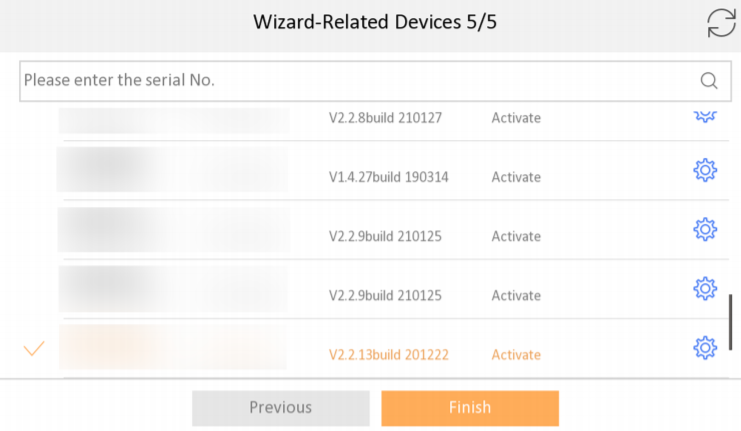
- The device is rebooted and it is already associated.
2nd Case:
- Slave monitor configuration to an existing installation:
- Activate the board from Safire Control Center and enter the slave monitor settings menu. Then go to network and in the device configuration, select it as an internal extension.
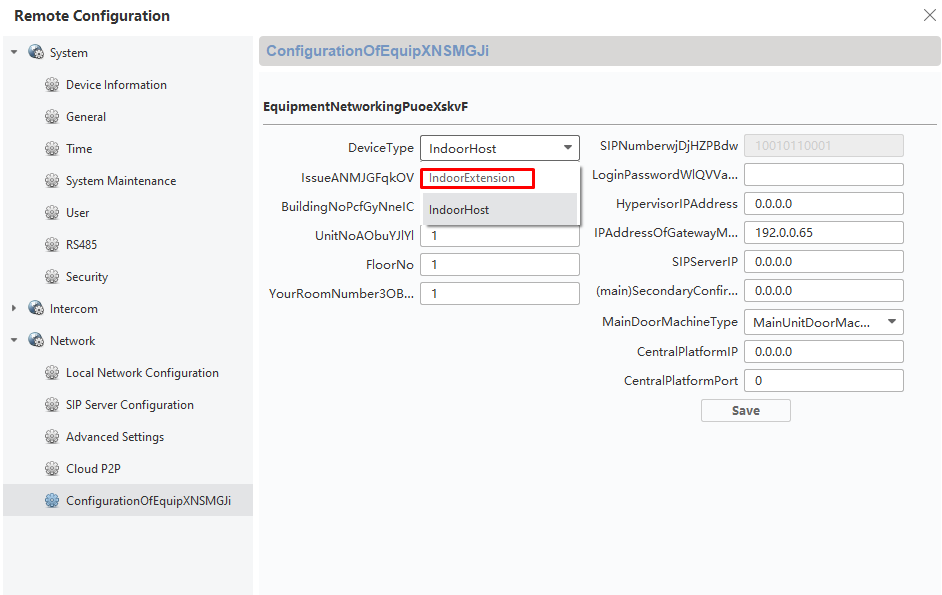
- A different menu will appear, in which the device password and the IP address of the master monitor will be entered.:
