
This configuration affects the following devices:
SF-VIMOD-CAM-IP (BS/BF)
SF-VIMOD-CAM-2
We recommend updating the firmware of the external station before proceeding; a dedicated FAQ is available in our Knowledge Center.
These devices have 2 relay outputs, however the second output is deactivated by default. Therefore it is necessary to activate it.
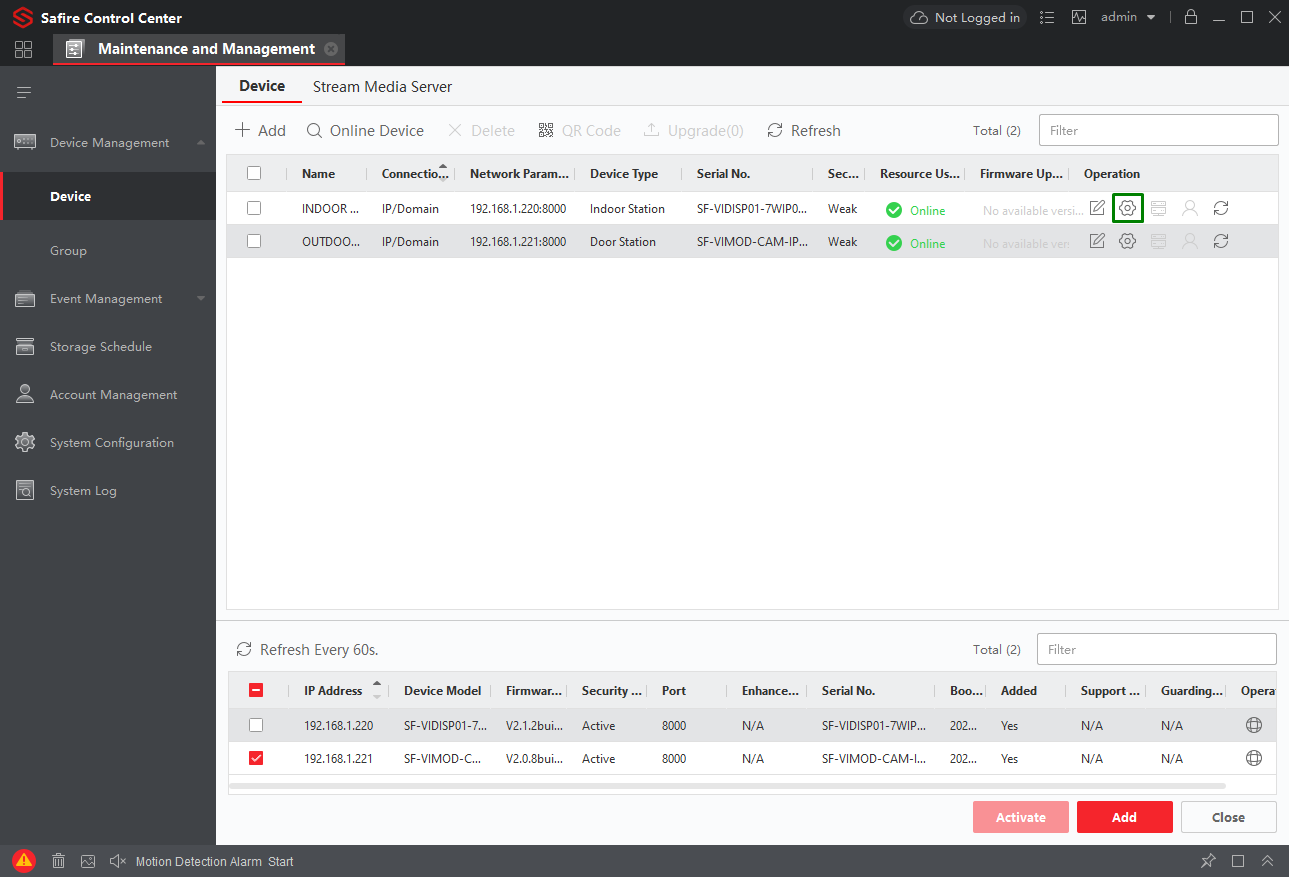
To do this, click on "Remote Configuration" (gear icon):
Let's go to the ALARM IN / OUT configuration.
We look for the object called DOOR2, which corresponds to the second relay, and then change its status from DISABLE to ELECTRIC LOCK.
If we want to alter the opening time of the relay, we can adjust the following option:
With this we would already have the second relay working, and we will automatically have the second icon in the form of a padlock on the screen and on the mobile with the Safire Connect app.