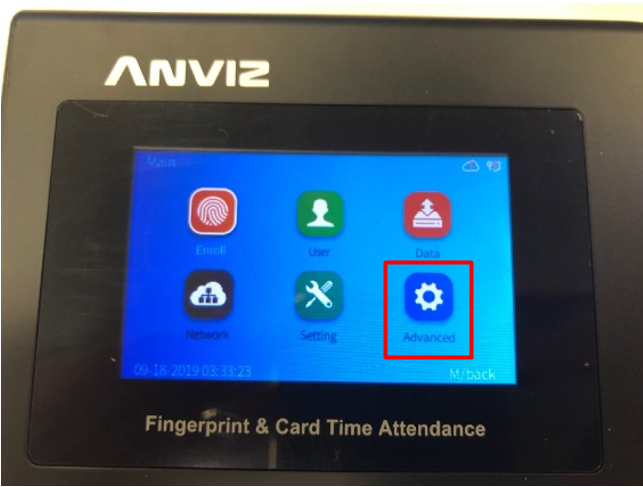
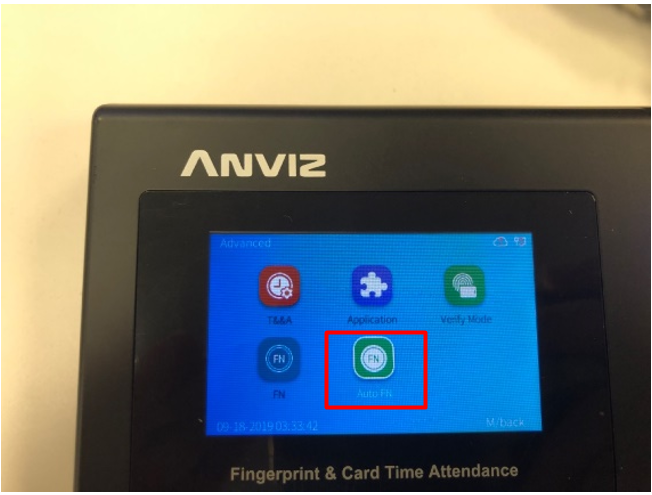
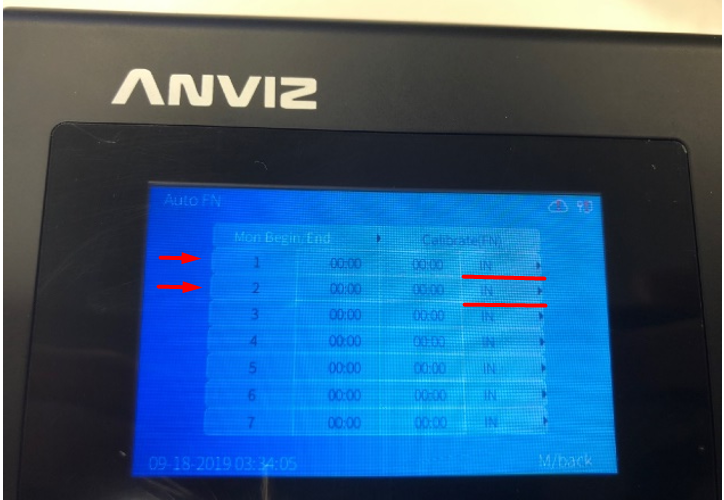
Automatic change of the registration type on new ANVIZ terminals Support January 14, 2025 09:47 Updated Follow Enter the MENU and then go to "Advanced": We enter "Auto FN": We set the time at which we want the X event to be marked on the terminal by default: Related articles Setting Time and Attendance on Anviz Devices Anviz Crosschex Cloud Crosschex Cloud server list Anviz Wi-Fi Terminal A300-WIFI Configuration