Information about resetting Milesight cameras can be found in the manufacturer's article:
1. Steps to Reset
For NVRs with software versions earlier than 7x.9.0.2-r3, or 61.x.x.xx/ 30.x.x.xx/ 1.x.x.xx/2.x.x.xx, follow the steps below:
Step 1: Disconnect the device;
Step 2: Press the reset button;
Step 3: Hold down the reset button and turn on the NVR at the same time;
Step 4: During this process, you will hear several short beeps;
Step 5: The reset is completed successfully when the short beeps turn into a continuous beep.
For NVRs with software version 7x.9.0.2-r3 or later, follow the steps below:
Step 1: Turn off the device;
Step 2: Press the reset button;
Step 3: Hold down the reset button and turn on the NVR; you will hear a short beep at the same time;
Step 4: After 5 seconds, you will hear a beep lasting about 3 seconds.
Step 5: The reset is completed successfully when the beep stops.
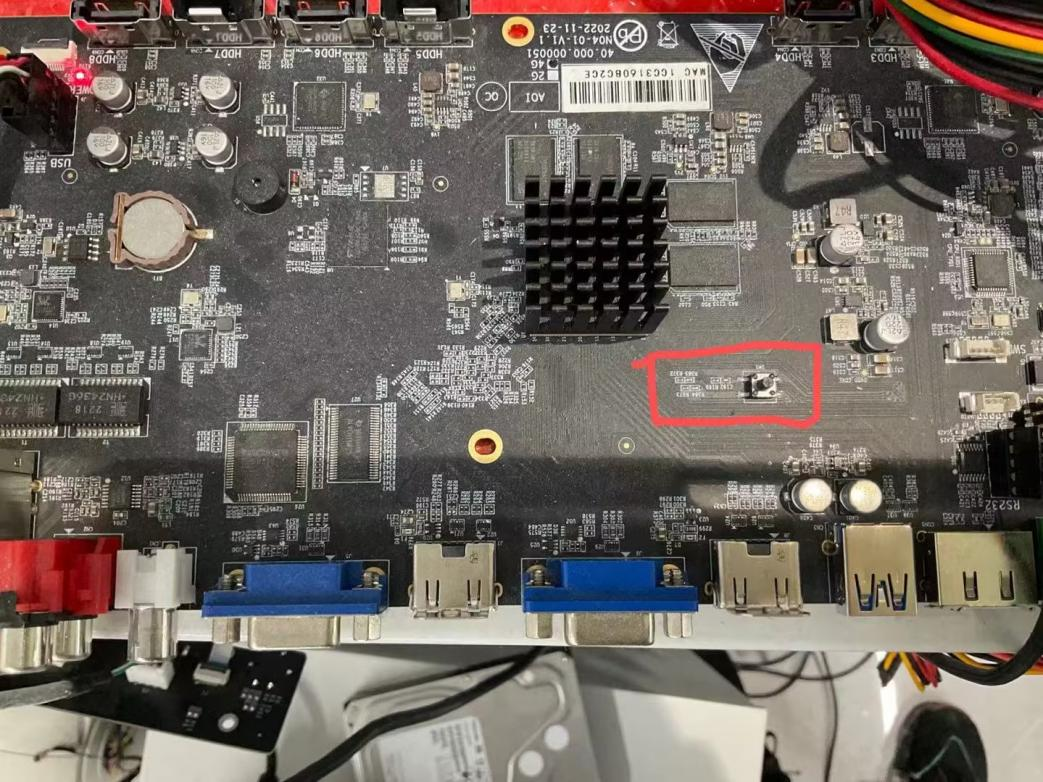
2. Location of the Reset Button
· Series-1000:
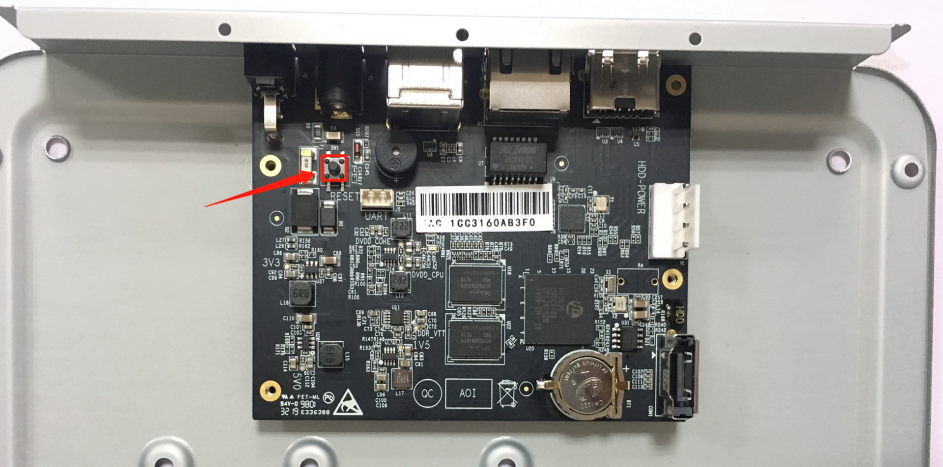
1004-UC/1008-UC: Loosen the screws on the bottom and open the casing; there is a black button on the motherboard, as shown in the image below
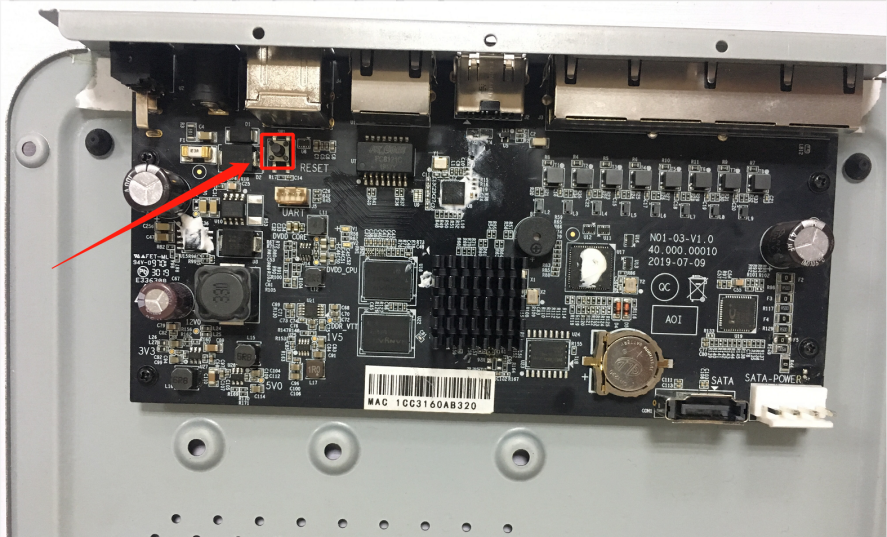
1004-UPC/1008-UPC: Loosen the screws on the bottom and open the casing; look for a black button on the motherboard, as shown in the image below.
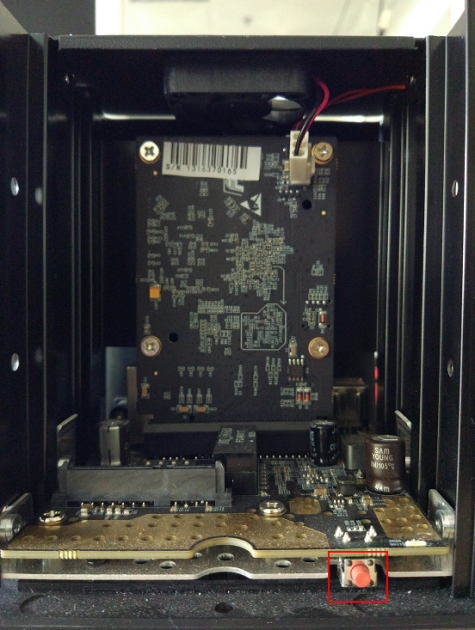
1008-UNPC: Slide and open the casing; there is an orange button inside, as shown in the image below.
· Series-5000:
5008-UC: Slide and open the panel; you will see a black button inside, as shown in the image below. 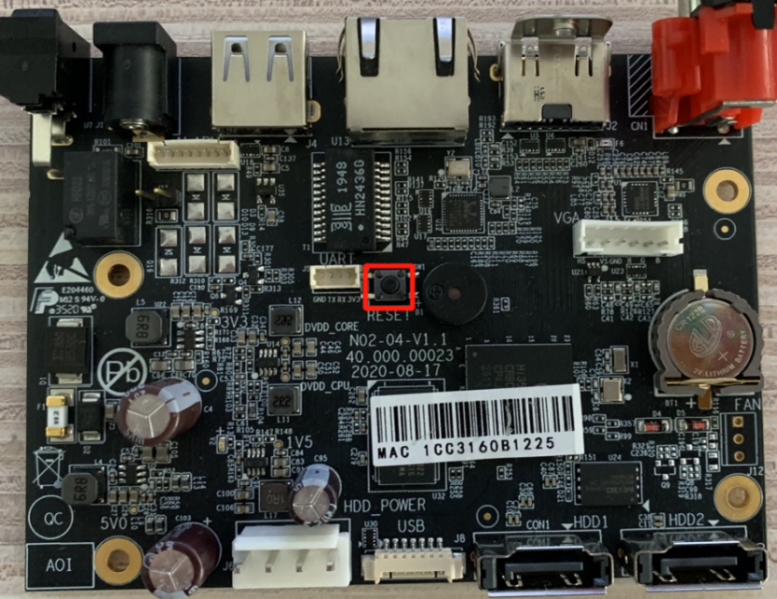
5016-UT: Slide and open the panel; there is a black button inside, as shown in the image below.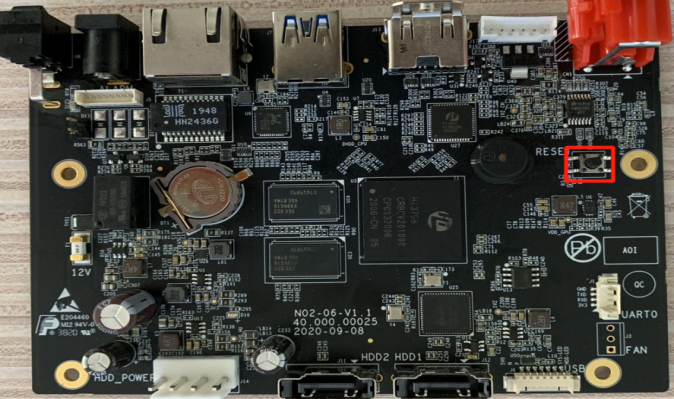
5016-UH/5032-UH: Slide and open the panel; you will see a black button inside, as shown in the image below.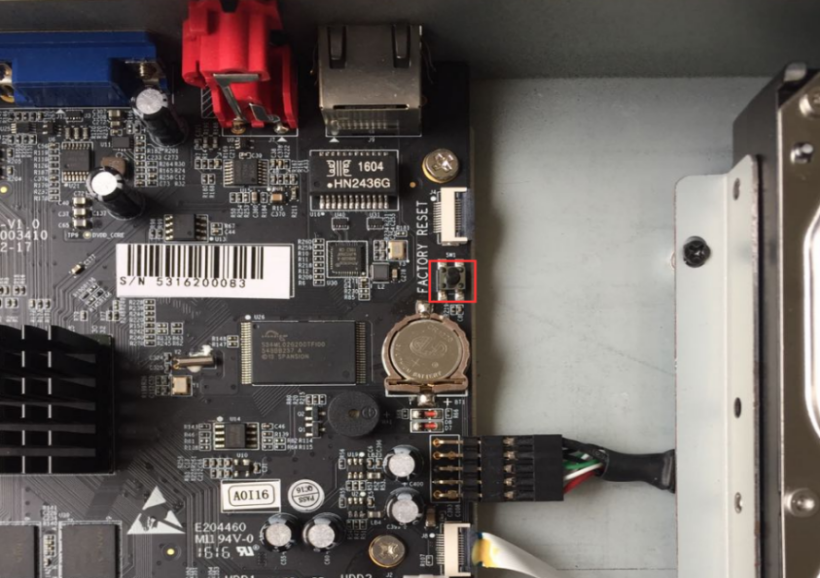
5008/5016-E, 5008/5016-PE: Slide and open the panel; you will see a black button inside, as shown in the image below.
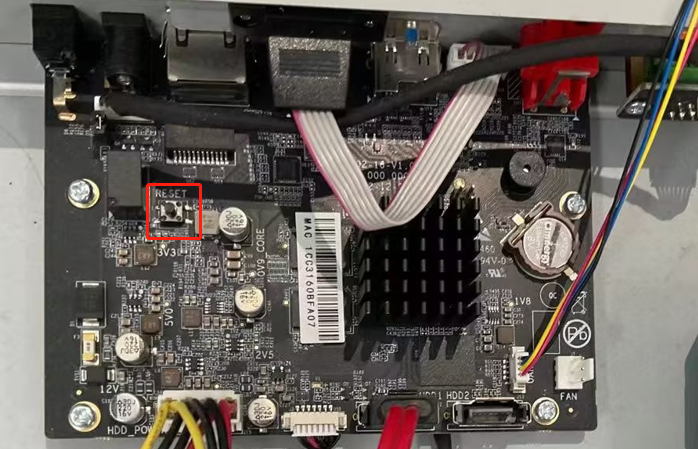
5008-UPT: Slide and open the panel; you will see a black button inside, as shown in the image below.
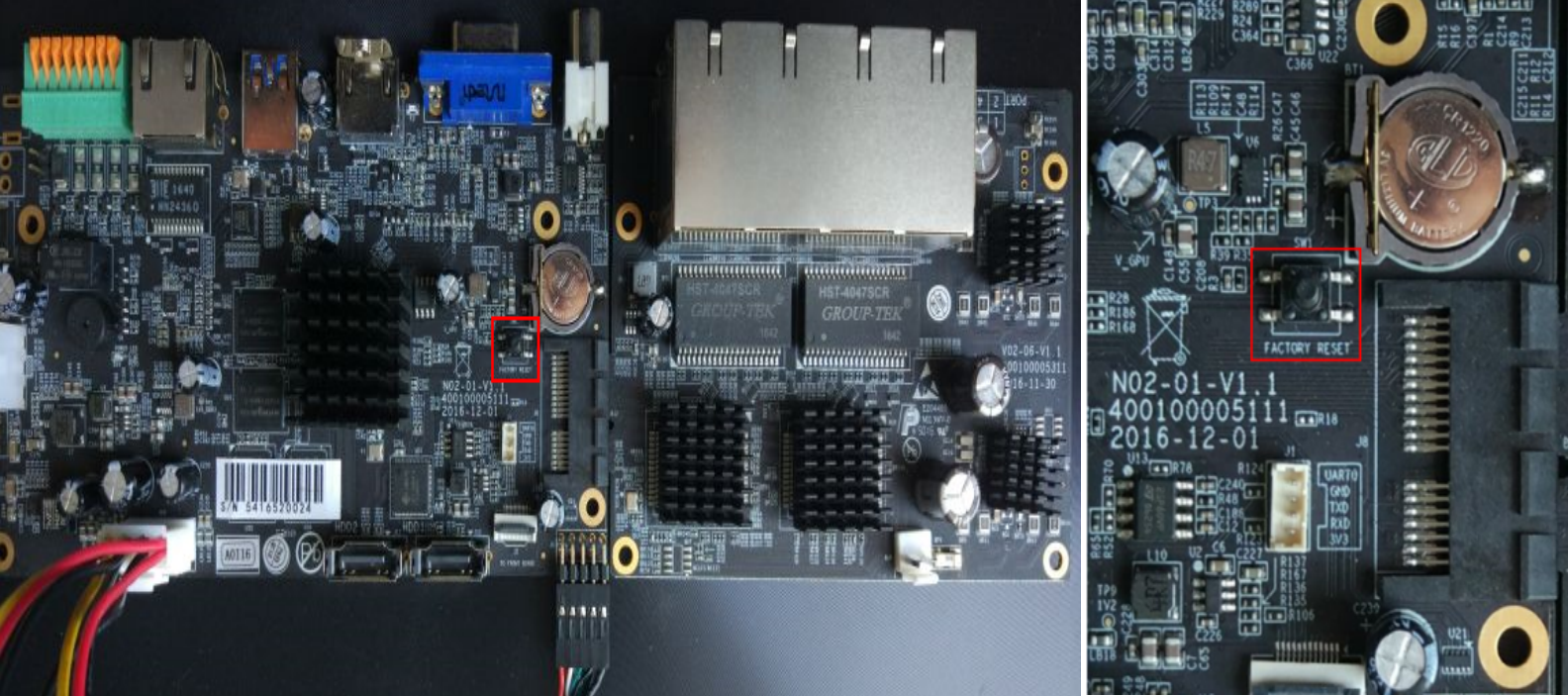
5008-UPC: Slide and open the panel; you will see a black button inside, as shown in the image below.
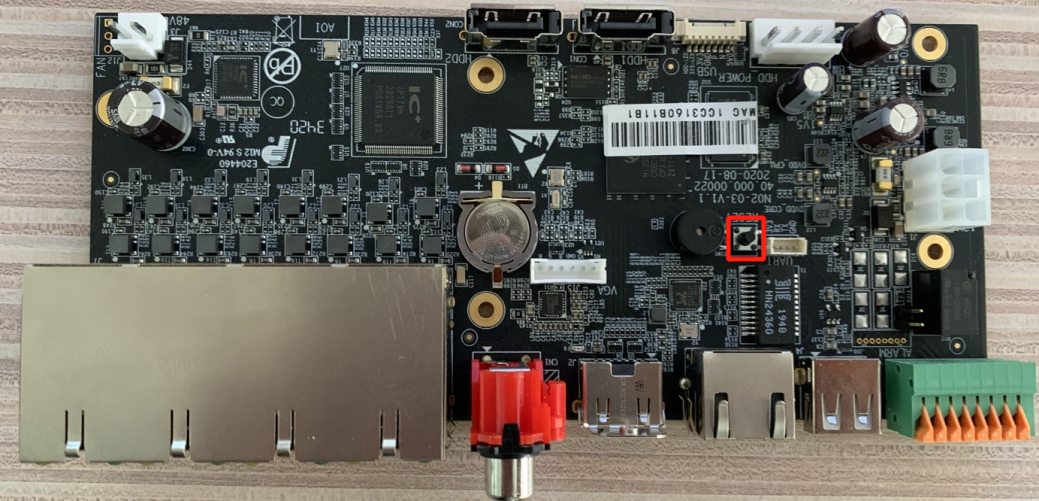
· Series-7000:
7016/7032-UH: Slide and open the panel; you will see a black button inside, as shown in the image below.
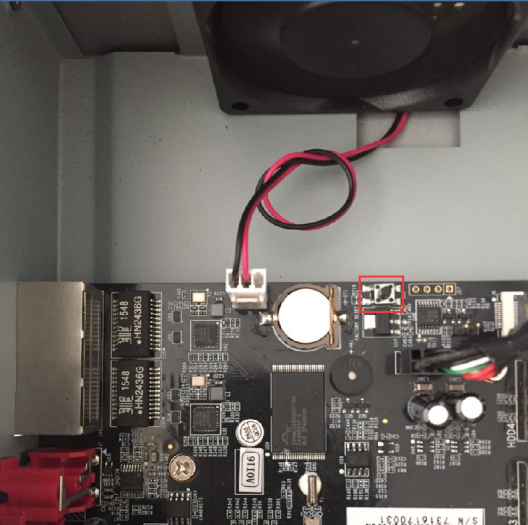
7016/7032-UPH/7048-UPH: Slide and open the panel; you will see a black button inside, as shown in the image below.
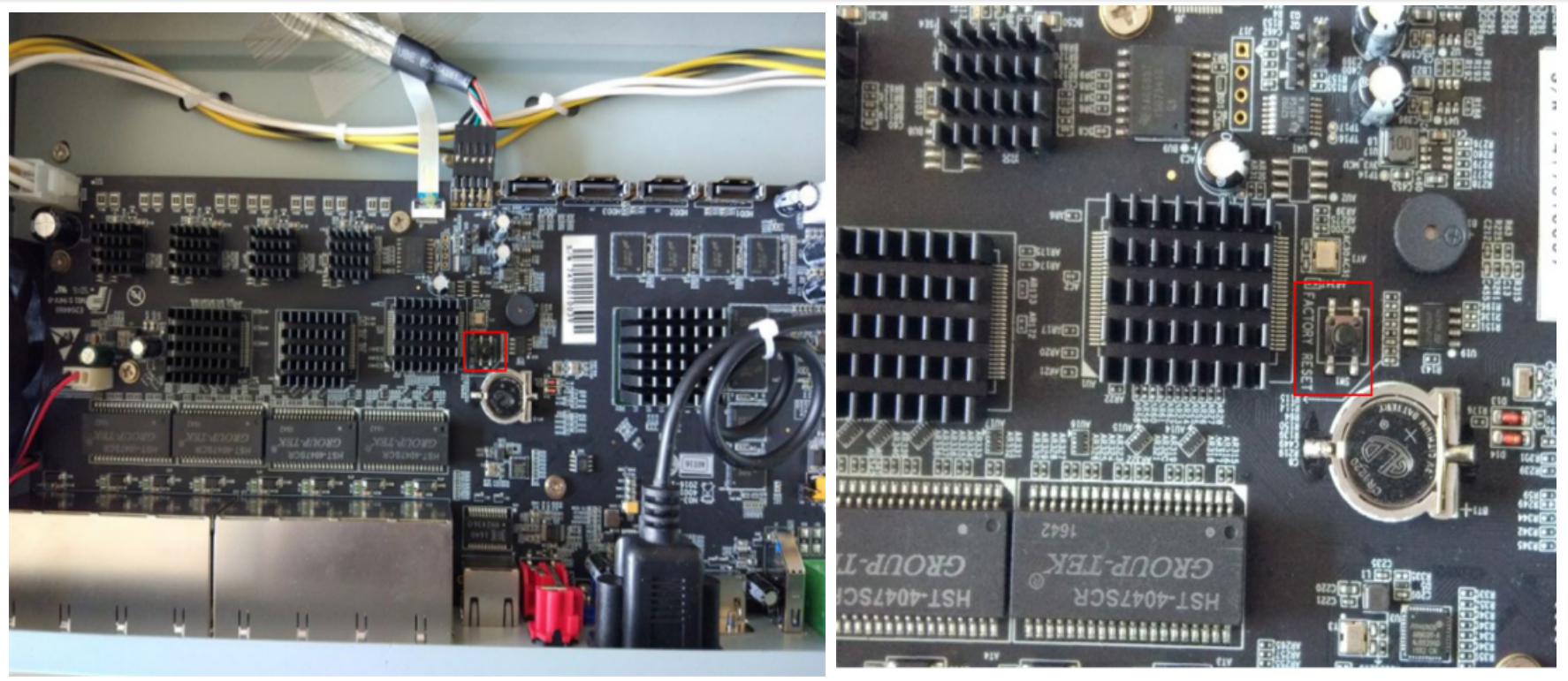
7016/7032-G/7048-PG: Slide and open the panel; you will see a black button inside, as shown in the image below.
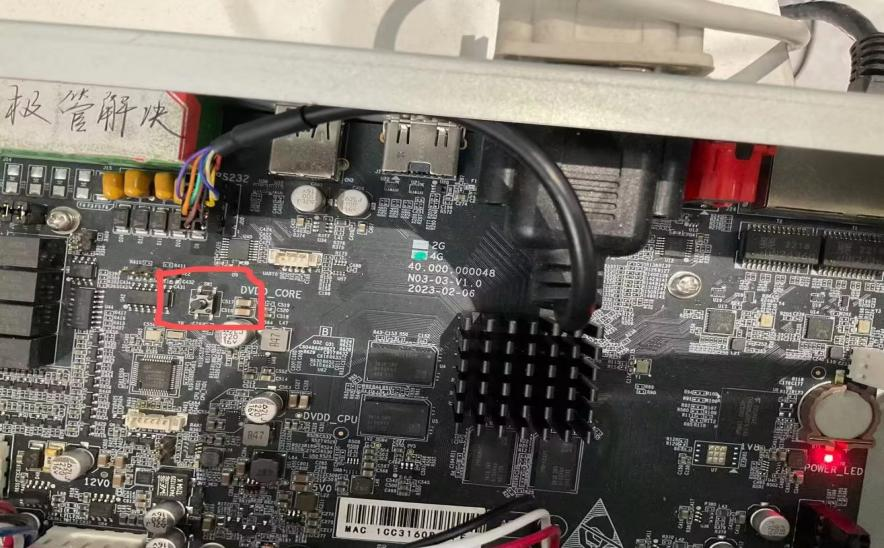
· Series-8000:
8032/8064-UH: Slide and open the panel; you will see a black button inside, as shown in the image below.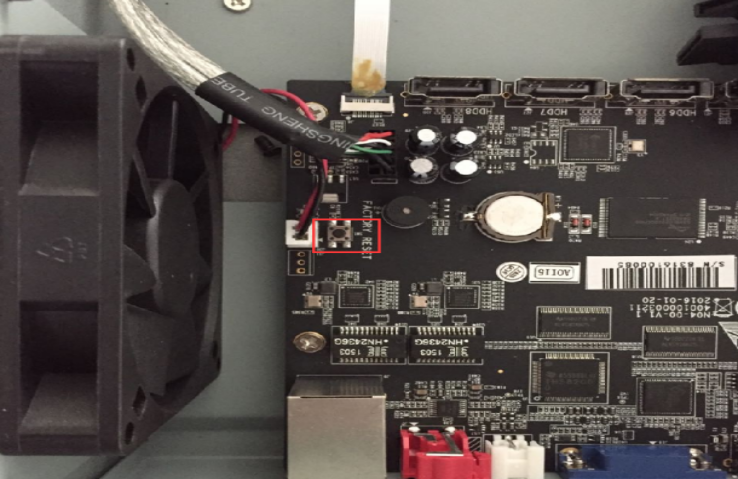
8032/8064-G: Slide and open the panel; you will see a black button inside, as shown in the image below.